Screenwriting software for filmmakers.

7 Day

Free to explore

∞

Scripts you can create

1 Click

PDF export

100%

Your stories, your files

ScreenwritersStay focused on scenes, characters and dialogue instead of manual formatting.
Film StudentsLearn professional screenplay structure in a dedicated writing environment.
Indie FilmmakersDevelop scripts, keep projects organised and export clean PDFs for collaborators.
Small Production TeamsKeep screenplay files structured and ready to move into the next stage of production.
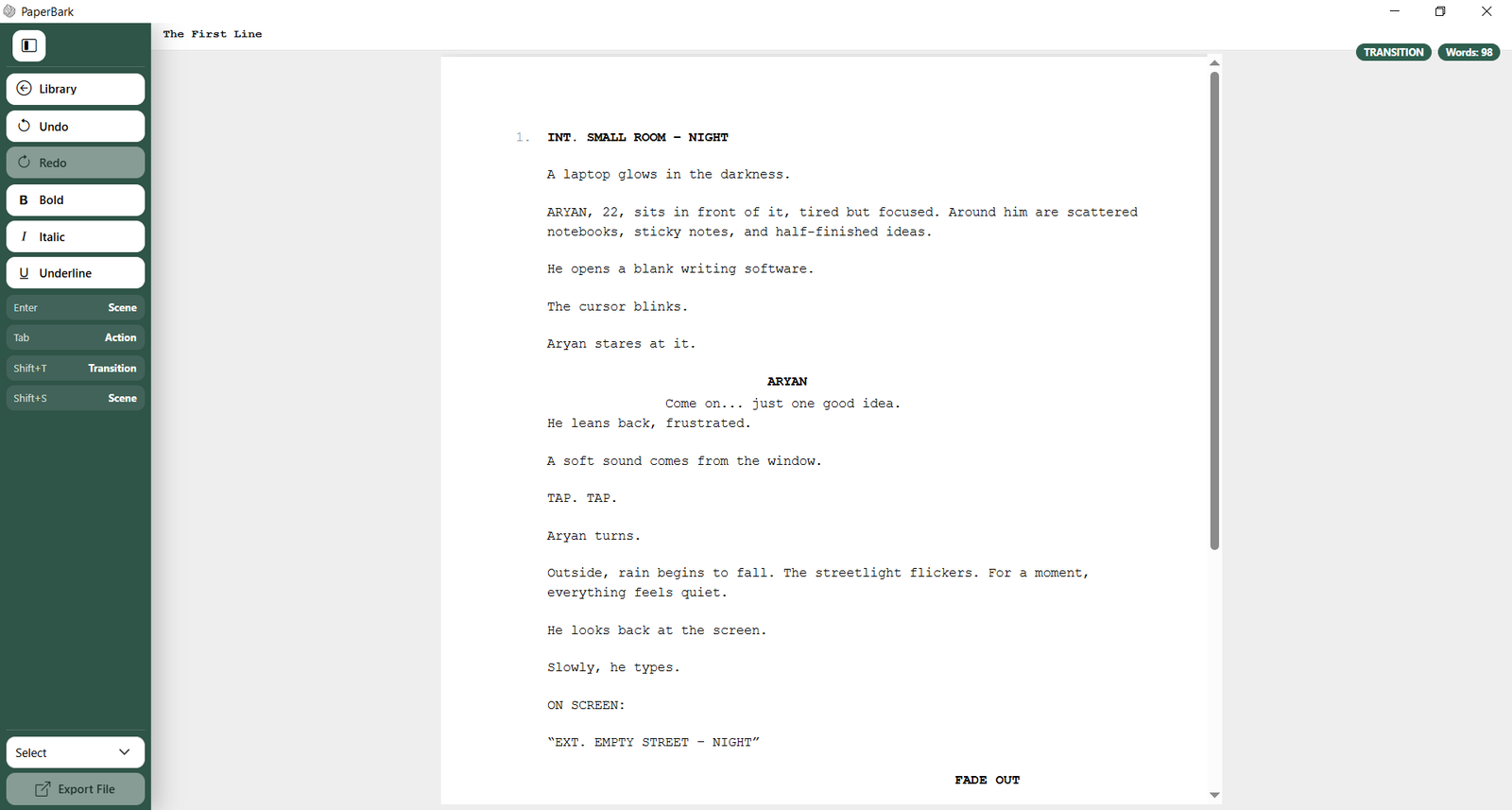
Paper Bark screenwriting software editor showing a formatted screenplay

Write your screenplay. Let Paper Bark handle the formatting.

Whether you are drafting your first film script or revising a feature, Paper Bark's script writing software keeps scene headings, action, characters, dialogue and transitions in the right screenplay format as you work.

  • Automatic screenplay formatting
  • Unlimited projects
  • Auto-save
  • Local-first storage
  • Professional PDF export
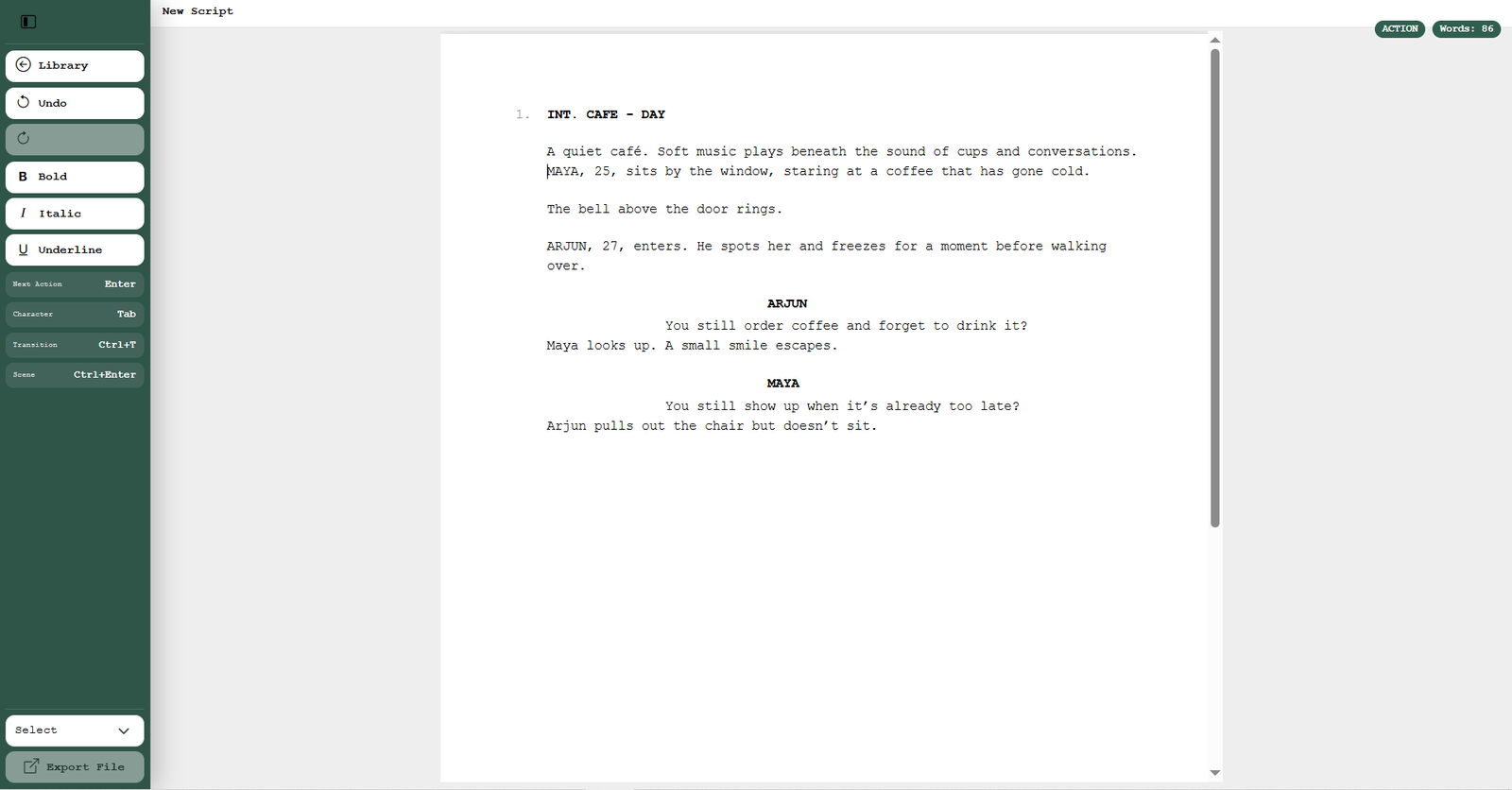
Paper Bark screenplay editor displaying scene headings, action and dialogue

01 · SCREENPLAY EDITOR

Unlike a general word processor, Paper Bark automatically formats scene headings, action, character names, dialogue and transitions. As a result, this built-in script formatter keeps your screenplay consistent without constant manual adjustments. For practical examples of screenplay conventions, explore the Writers Guild Foundation screenplay primers.

See what it includes
  • Automatic screenplay formatting
  • Scene, Action, Character, Dialogue and Transition elements
  • Unlimited screenplay projects

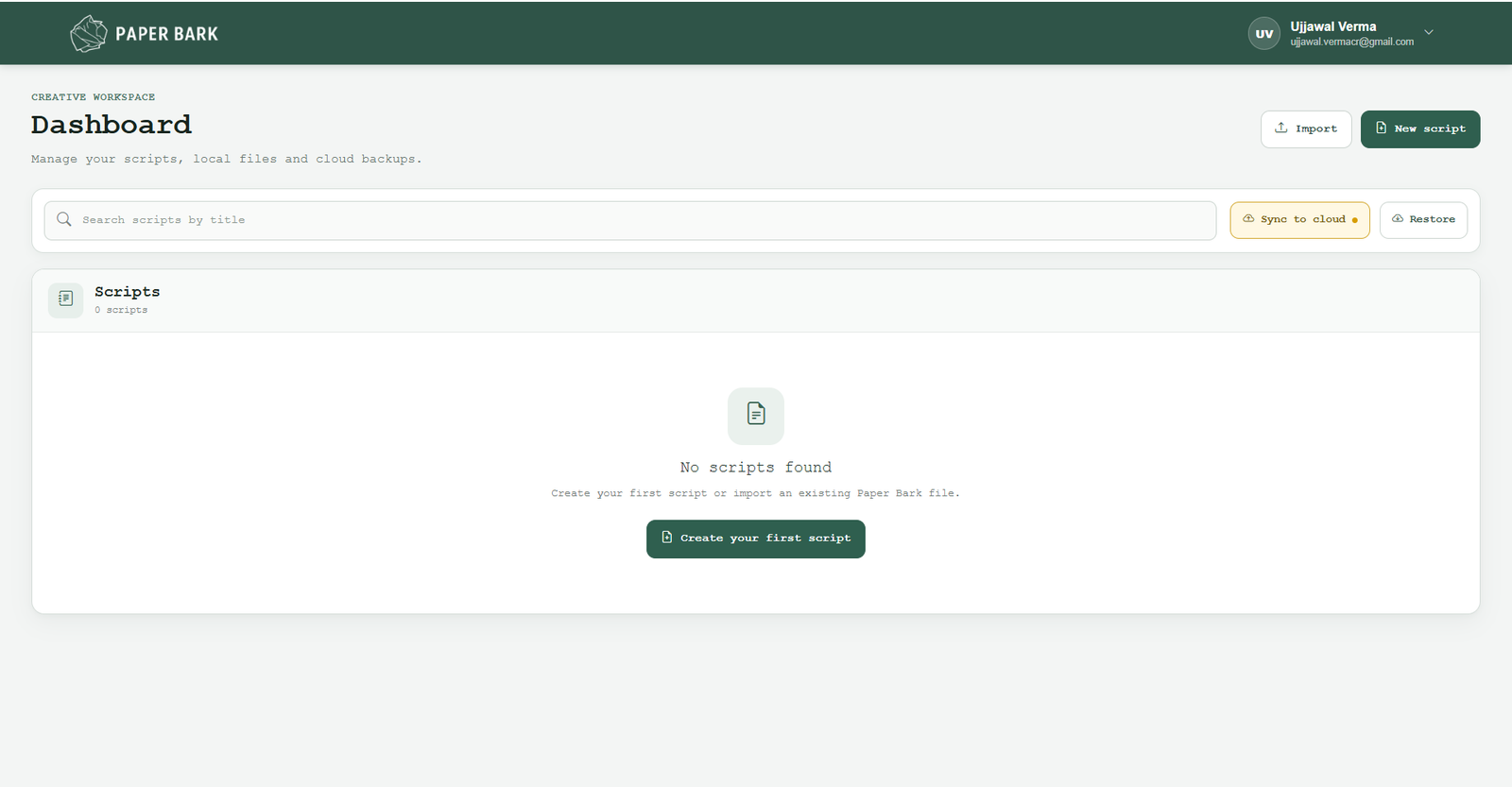
02 · PROJECT DASHBOARD

Create, find and organise unlimited screenplay projects from one dashboard. By default, this screenplay software stores your scripts locally. You can also synchronise selected projects with the cloud.

See how your work stays organised
  • Central project dashboard
  • Local-first project storage
  • Optional cloud backup and recovery
Paper Bark script writing software dashboard for managing screenplay projects
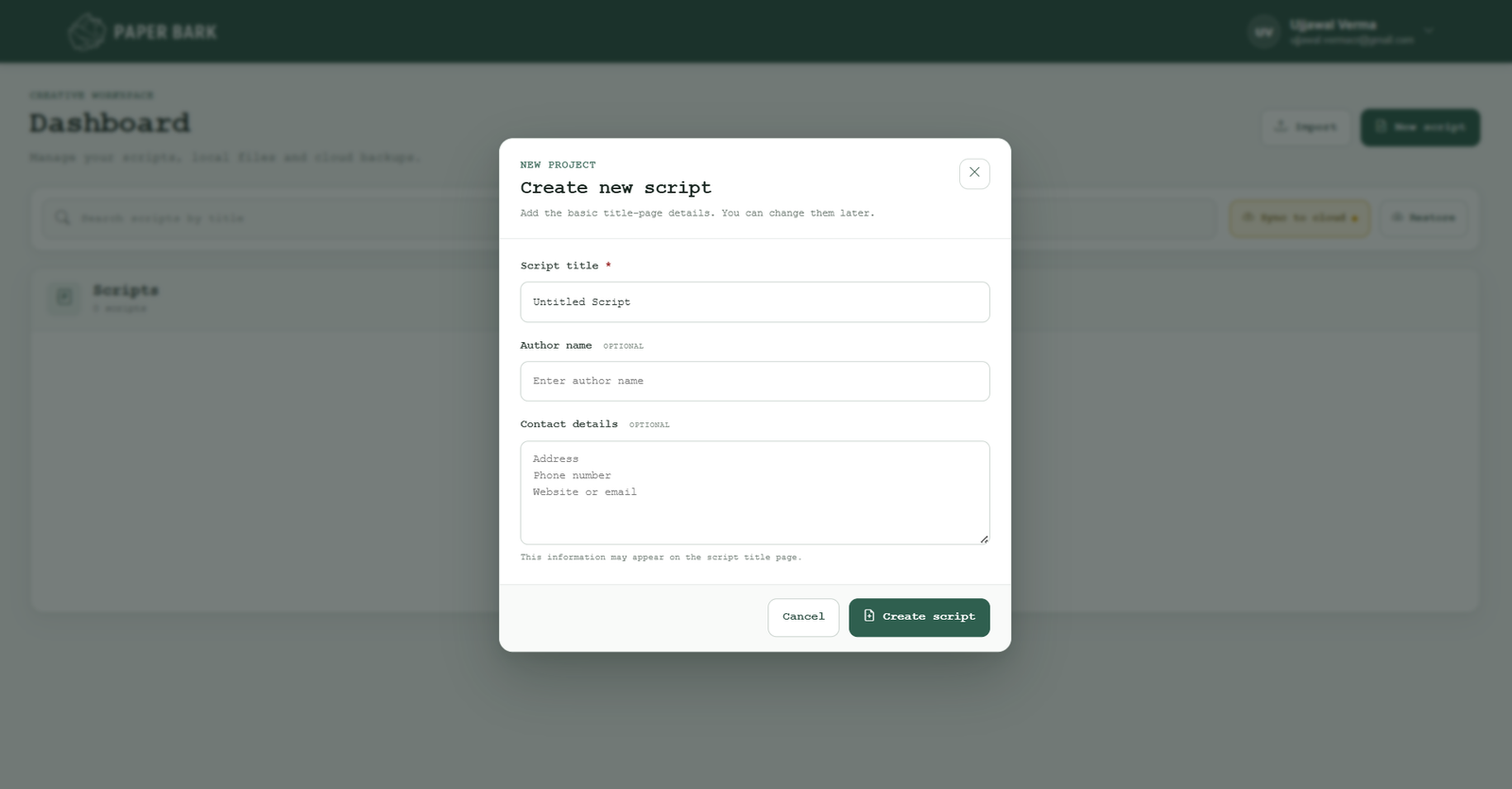
New screenplay project creation screen in Paper Bark software

03 · FROM IDEA TO PDF

Start a screenplay, add a professional title page and export a properly formatted PDF when you are ready to share your script. You can also export a Paper Bark project file for backup or continued editing.

See what happens at export
  • Professional title-page setup
  • PDF export
  • Paper Bark project-file export
Local by defaultYour screenplay stays on your computer unless you choose to sync it.
Auto-saveKeep writing without repeatedly stopping to manage manual saves.
Mac + WindowsChoose the desktop version that matches the computer you write on.
7-day trialTry the workflow with your own screenplay before buying.

SIMPLE PRICING

TRY PAPER BARK

7-Day Free Trial

Free

Test automatic screenplay formatting, the script editor and the project dashboard with your own story during the seven-day free trial.

  • Unlimited screenplay projects
  • Automatic screenplay formatting
  • Local project storage
  • PDF export

KEEP WRITING

One-Time Licence

Pay once for the Windows or Mac version and keep using your screenwriting app without recurring subscription fees. Each licence also covers one computer.

Windows

1 499,00 KčAdd to cart

Mac

1 499,00 KčAdd to cart

  • Unlimited projects & screenplay formatting
  • Local storage with optional cloud sync
  • PDF and project-file export
PRODUCT ROADMAP
Phase 1 · Now

Script Editor — Live.
Professional screenplay formatting, PDF export and a focused writing environment.

Phase 2 · Next

Script Breakdown & Planning.
Tag props, characters and locations, then generate initial breakdown information directly from the script.

Phase 3 · Future

Production Suite.
Build shooting schedules, call sheets and cast or crew lists around the same project.

Phase 4 · Later

Collaboration & AI tools.
Explore co-writing, inline feedback and intelligent assistance for future workflows.

WHY PAPER BARK EXISTS

Our story

Paper Bark started in 2024 after seeing ideas scattered across notebooks, documents and unfinished files. Instead of waiting for the right tool, we began building a simpler writing environment ourselves.

Why we exist

Too many stories stay unwritten when screenplay formatting feels overly technical. For that reason, Paper Bark exists to make professional film script writing more accessible, from the first scene to a finished draft.

Our mission

Make professional screenwriting more accessible through a focused and dependable desktop environment where storytellers can write, organise and export their work.

Where we are going

Paper Bark begins with screenwriting. Over time, the goal is to support more of the creative journey as projects move from an early idea toward production-ready work.

2024Paper Bark began
Desktop firstFocused Mac & Windows writing experience
Your files, your controlYour screenplay files stay under your control

FAQ

Screenwriting software: Frequently asked questions

Quick answers about Paper Bark, screenplay formatting, downloads, storage and getting started.

What is Paper Bark?

Paper Bark is desktop screenwriting software for creating, editing and managing professionally formatted screenplay projects. It also includes a focused script editor, project dashboard, local storage, optional cloud synchronisation and PDF export. Explore the full feature list.

Is Paper Bark available for Windows and Mac?

Yes. Paper Bark is available for Paper Bark for Windows and Paper Bark for Mac. In both versions, you get the same core screenplay-writing workflow.

Is Paper Bark free to use?

Paper Bark offers a 7-day free trial. Afterwards, you can continue with a one-time desktop licence. View pricing.

Does Paper Bark automatically format a screenplay?

Yes. For example, Paper Bark supports scene headings, action, character names, dialogue and transitions to help keep your screenplay formatting consistent.

Can I create unlimited screenplay projects?

Yes. You can create unlimited screenplay projects and also organise them from the central project dashboard.

Where are my screenplay projects stored?

Projects are stored locally on your computer by default. For backup and recovery, you can also synchronise selected projects with the cloud.

Files, exports and account access

Can I export my screenplay as a PDF?

Yes. Completed screenplays can be exported as professionally formatted PDFs. You can also export a Paper Bark project file for backup, transfer or continued editing.

Do I need an account to download Paper Bark?

Yes. Before downloading Paper Bark, create an account so your trial, licence and download access stay connected.

Do I need an internet connection to write?

Because Paper Bark is a desktop application, projects are stored locally by default. However, account access, licensing, downloads and optional cloud synchronisation require an internet connection.

Who is Paper Bark designed for?

For example, Paper Bark is suitable for screenwriters, film students, independent filmmakers, new storytellers and small production teams looking for straightforward screenplay software.

What is screenwriting software?

Unlike a standard word processor, screenwriting software is built specifically for screenplay structure and formatting. As a result, you do not have to manually manage character cues, dialogue, scene headings and spacing.

How do I format a screenplay correctly?

For example, screenplays use recognised elements such as scene headings, action, character names and dialogue in a consistent layout. Read our screenplay formatting guide for beginners for practical examples.

GET IN TOUCH

LOCATIONPrague, Czechia

Home

Features

Pricing

About-Us

FAQ

Contact