SCREENWRITING SOFTWARE FEATURES
A closer look at how Paper Bark works.
The homepage gives you the short version. This page goes deeper. Paper Bark is built around the full writing workflow: creating projects, formatting screenplay elements, managing title-page information, storing work locally, optionally syncing selected projects to the cloud, and moving scripts between Paper Bark and other screenplay tools when you need to share or continue work elsewhere.
Write in screenplay structure without formatting every line by hand.
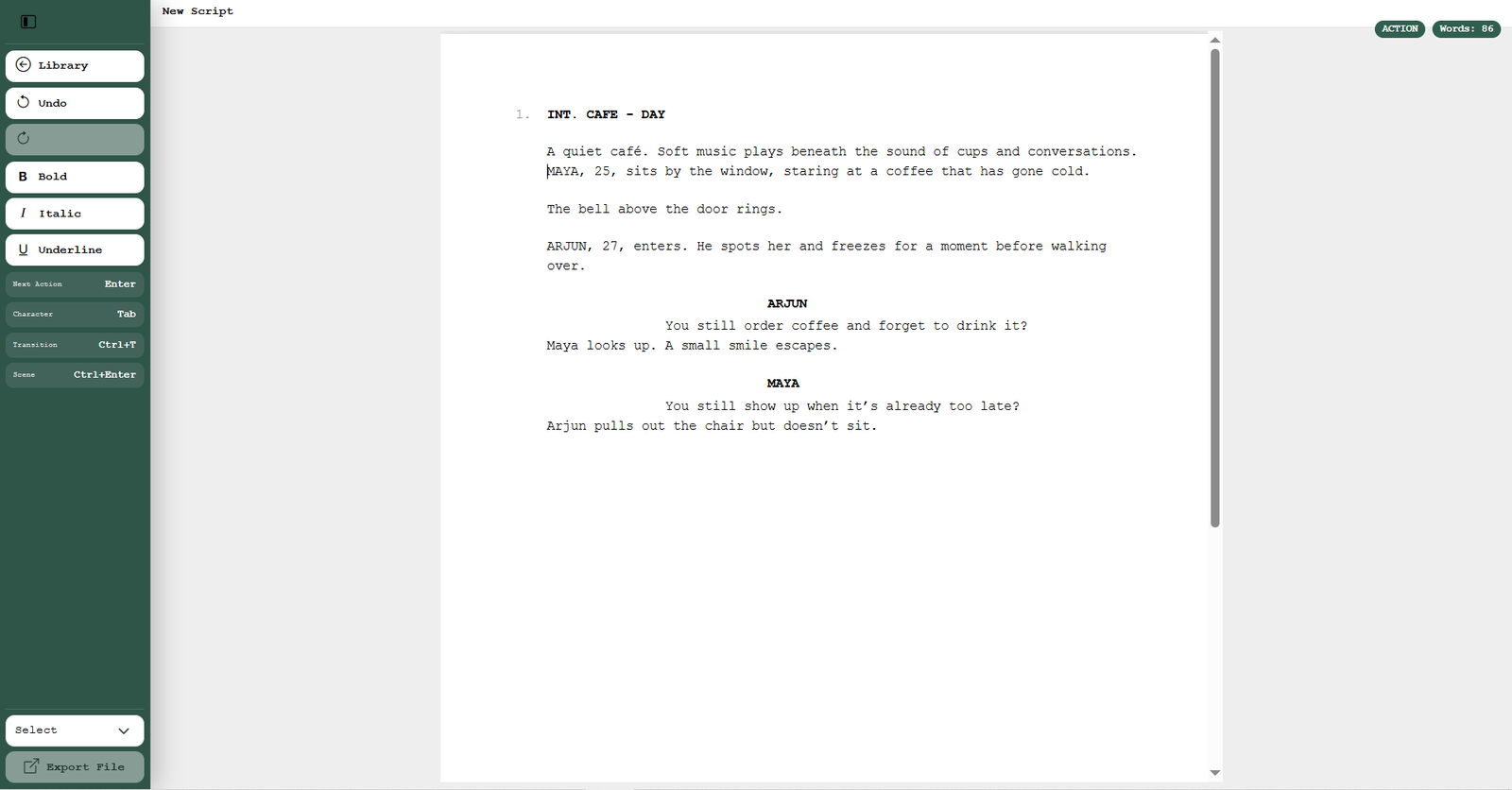
Paper Bark gives each part of the screenplay its own writing mode, so you can move naturally through the script instead of repeatedly adjusting alignment, spacing and paragraph styles yourself.
WRITING WORKFLOW
Move from scene to scene without rebuilding the page.
Scene headings, action, character names, dialogue and transitions are treated as screenplay elements rather than ordinary paragraphs. That makes the document behave more like a script and less like a general-purpose word processor.
You can still use familiar text styling—such as bold, italics and underline—when the screenplay calls for emphasis.
PROJECT DASHBOARD
Manage unlimited screenplay projects from one dashboard.
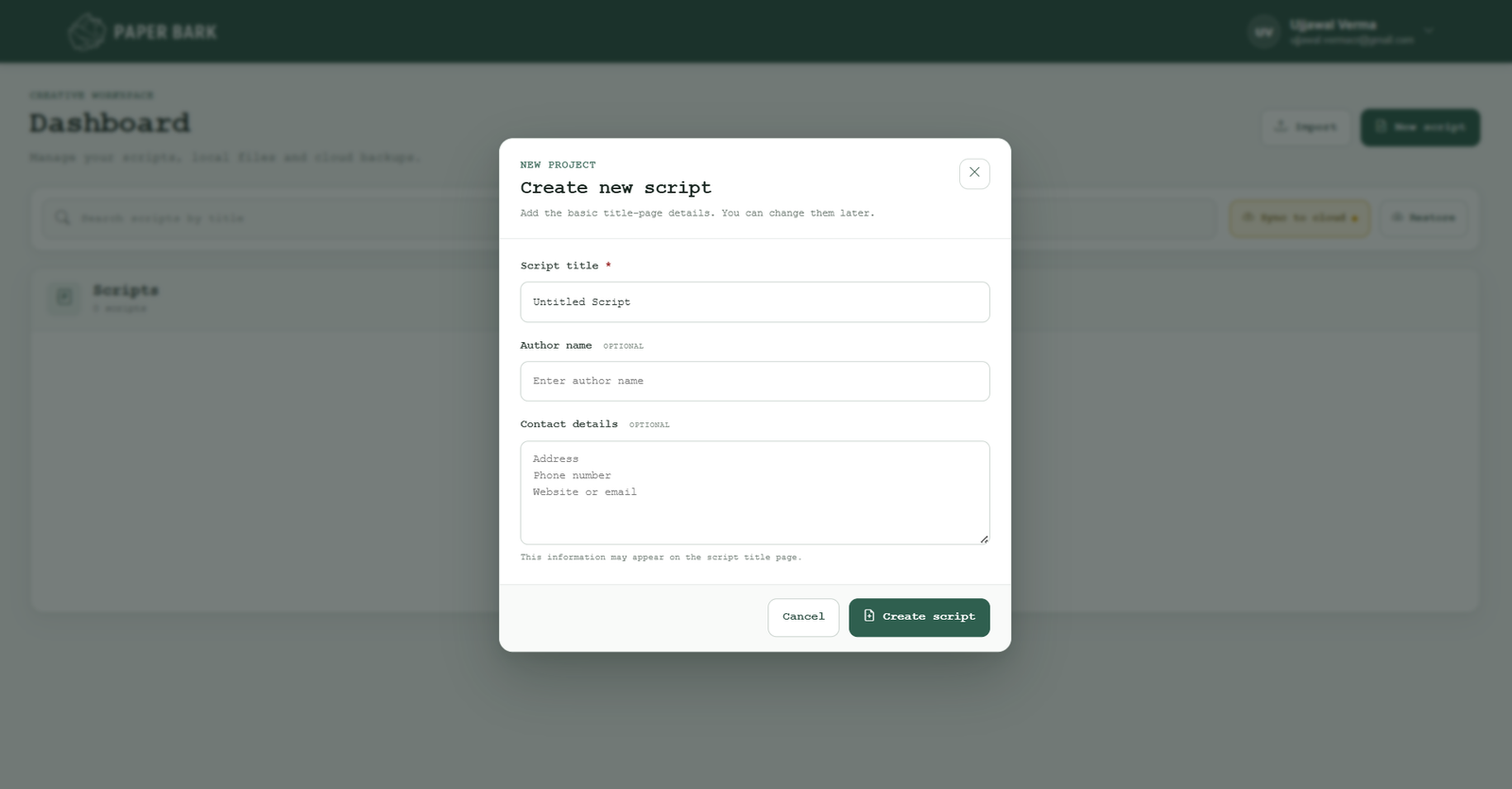
Your dashboard is the home for every Paper Bark project. Instead of keeping unrelated script files scattered through folders, you can see your projects together, open the one you want and continue working.
- Create as many screenplay projects as you need.
- Open an existing project directly from the dashboard.
- Edit project information without rebuilding the screenplay.
- Keep writing projects separated and easier to find.
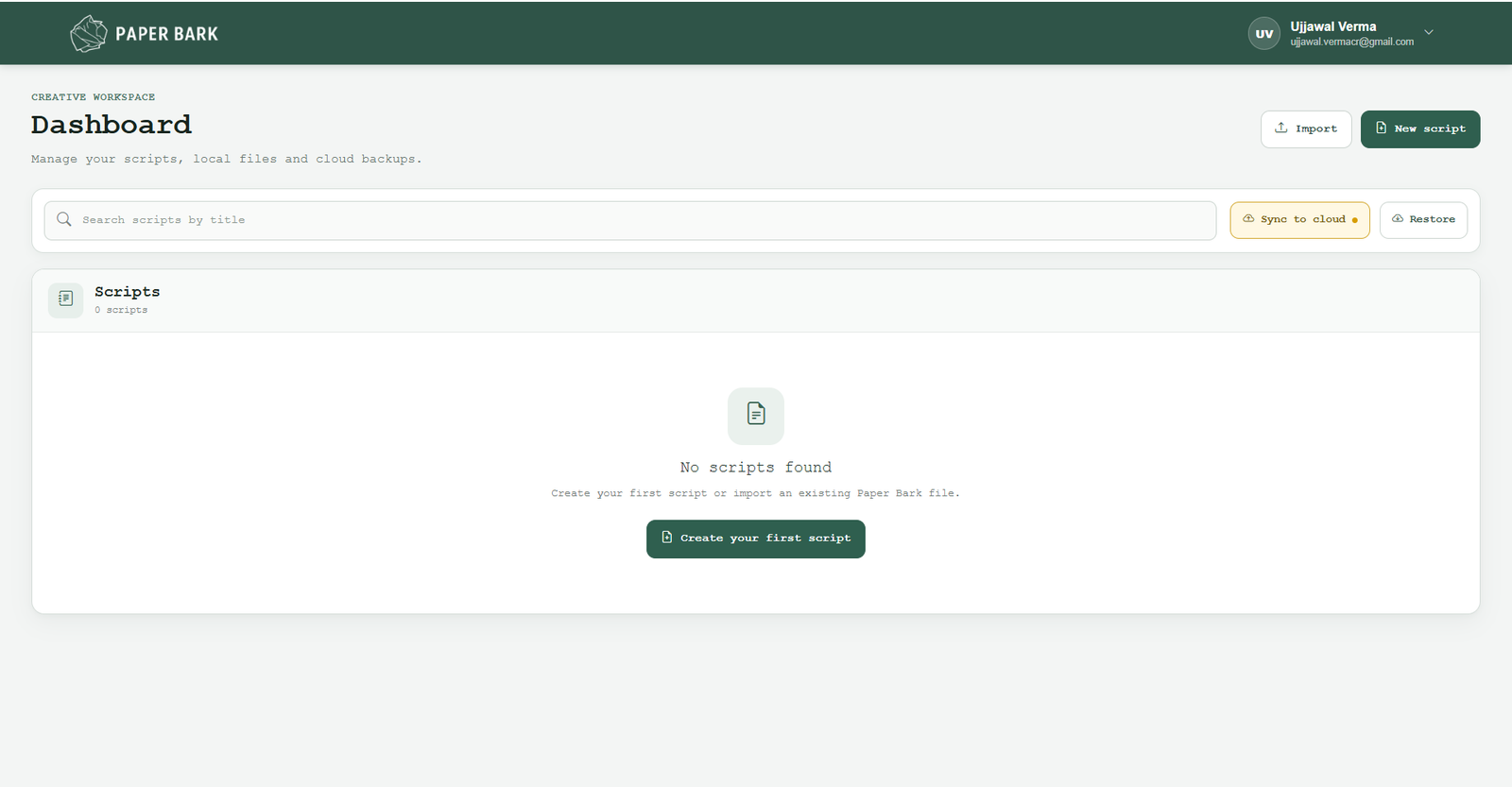
Change the information that appears on the first page of your screenplay.
Each project can carry its own title-page information. When details change, you can update the project rather than manually rebuilding the first page every time you export a new version.
LOCAL-FIRST STORAGE
Your screenplay stays on your computer by default.
Paper Bark is a desktop application, and screenplay project data is stored locally on your computer by default. That means writing does not depend on keeping every project permanently online.
If you want an additional copy, you can choose cloud synchronisation for selected projects. Cloud sync gives you another way to back up and restore work while keeping the local-first workflow.
Move a screenplay between Paper Bark and other writing tools.
Collaboration does not always mean every writer uses the same software. Paper Bark is designed to make screenplay handoff easier by supporting common screenplay exchange formats.
One writer can work in Paper Bark while another uses a different screenplay application. Import and export formats make it possible to pass the script between tools instead of forcing everyone onto the same software.
A writing workflow that stays connected from beginning to export.
Use Paper Bark on the desktop you already write on.
Paper Bark is available for both Mac and Windows. The product is built as a desktop-first screenwriting environment, so the writing experience, local project storage and export workflow live on the computer where you work.
The software should support the writing—not become the work.
Paper Bark is deliberately focused. The goal is not to fill the screen with tools simply because they can be added. Each feature should help a writer create, organise, protect, move or share the screenplay with less friction.
That is why the core product brings project management, screenplay formatting, local storage, optional cloud backup and flexible export together in one desktop workflow.